


CryptoTab Browser Lite
4.42.21K Reviews
App Specs
- Version
- 6.2.34
- Updated On
- License
- Free
- Downloads
- 5,000,000+
- Developer
- CT Systems
- Categories
- Communication
- Platform
- Android
Screenshots

 Analysis by AppCompare
If this is your first time trying CryptoTab Browser Lite, I’d go in with a simple goal: see whether it fits your ordinary browsing routine, rather than expecting it to become a meaningful source of income. The app is a free communication-category browser from CT Systems, and its appeal is the idea of bringing web use and crypto-related tools together. In practice, the useful first question is not “How much will I earn?” but “Am I comfortable using this browser and understanding what its controls do?”
What to expect from the app
CryptoTab Browser Lite is built around access to CryptoTab services, so it is best understood as an entry point to that ecosystem rather than a guaranteed way to make money. Its average rating is 4.4 from around 86,000 ratings, and it has passed 5 million installs. Those figures suggest that plenty of people have tried it, but they don’t tell you whether the experience will suit your phone, your browsing habits, or your expectations about cryptocurrency.
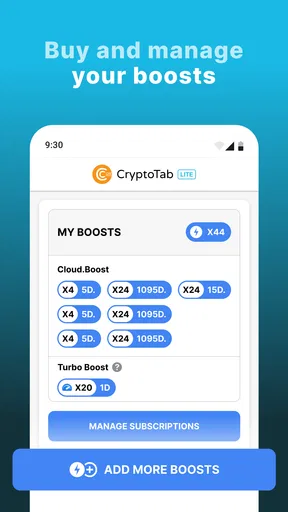
The app is free to install and rated for Everyone. Its current version is 6.2.34, and it runs on Android 8.0 or later. There are in-app purchases, with listed items ranging from $2.49 to $998.99, so I’d check each purchase carefully and avoid treating an optional payment as a shortcut to a dependable return. If your only aim is to browse websites, a conventional browser may be a simpler choice.
That distinction matters because cryptocurrency language can make small balances feel more important than they are. I’d treat any balance shown in an app as something to understand, not as spendable cash or a promise of profit. Before committing time or money, look for the exact terms attached to any action you take and make sure you understand what it means.
Getting Started with CryptoTab Browser Lite
Installing CryptoTab Browser Lite was a breeze. I simply downloaded it from the app store, and within minutes, I was ready to dive in. The interface is straightforward and welcoming, making it easy for even the most tech-averse among us to navigate. It’s basically a lightweight browser designed to let you surf the web while it quietly mines Bitcoin in the background.
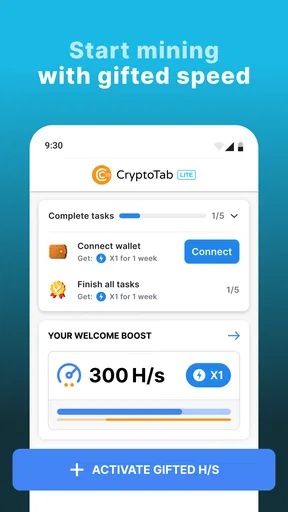
The app doesn’t require you to have any deep knowledge of cryptocurrency mining, which is a huge plus. All you need is a Google account to get started. Once logged in, you can immediately start earning while doing your usual online activities. How cool is that?
A calmer first setup
For a first-time user, I’d make the setup deliberately uneventful: install the app, open it, and take a minute to understand the main screen before changing anything. If an account prompt appears, pause long enough to confirm that you are signing in with the account you intend to use. That small check is especially helpful if you keep separate personal and work accounts on your phone.
Worth Reading Before You Choose

EA SPORTS FC Mobile 26 Is a Bigger Football Game, but It Takes Time

Flipboard Shows What News Apps Must Do Beyond the Feed

Switching to Android Auto Means Rethinking Your Driving Routine

Google Calendar Makes a Crowded Week Easier to Manage

Ludo King Makes the Most of the Minutes Between Plans

Baby Panda World Brings Quick Play to Modern Phones, but Its Game Library Feels Busy
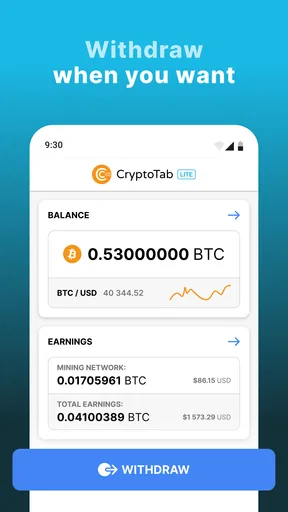
I’d also avoid making a purchase or inviting contacts during the first session. Neither is necessary for deciding whether the browser feels comfortable. First see whether you can open the pages you normally need, find the app’s service controls, and understand what the displayed balance represents. A few minutes of orientation can prevent the common mistake of assuming that every number on a crypto dashboard is immediately available to withdraw or spend.
One practical habit is to compare the app’s behavior with your normal browser during the same kind of task: open a familiar news page, search for a shop, or check a webmail account. This gives you a useful baseline without turning the trial into a technical test. If a page behaves differently, you can decide whether that is a one-off website issue or a sign that your regular browser remains the better tool for that task.
Browsing Experience
Let’s talk about the browsing experience. Honestly, I was a bit skeptical about how well a browser that also mines cryptocurrency would perform. But I was pleasantly surprised. The loading speed is quite decent, and I didn’t encounter any significant lags or glitches. It felt very much like using any other high-performance browser.
CryptoTab Browser Lite integrates seamlessly with your bookmarks, history, and even extensions, which is a huge advantage. It ensures that you don’t have to sacrifice your usual browsing experience for the sake of mining crypto.
Making the first useful session count
A good first success is simply completing a normal browsing task and then checking the app’s status screen to see how the service presents its activity. For example, if I had ten minutes before leaving home, I could look up a bus route, read a short article, and then inspect the dashboard. That is more informative than leaving a phone running unattended, because it shows whether the browser is useful to me even before I think about earning.
For a fair comparison, keep the task and conditions similar when switching between browsers. A site that loads slowly on a weak connection may not say much about the app itself. Likewise, comparing a page with a large number of open tabs in one browser against a single fresh tab in another would be misleading. I’d judge it on whether the pages I actually rely on work and whether the controls are easy to find.
Another useful check is to decide in advance how much attention you want to give the mining side. If you don’t want crypto notifications or dashboard checks to interrupt your day, keep the app as a browser first and review its service screen only when you choose. If monitoring a balance becomes the main reason you open it, that is a sign to reassess whether the habit is worth your time.
Mining Features
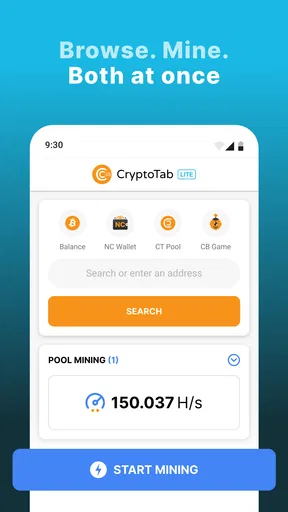
Now, onto the main attraction: mining. The app offers a pretty neat way to earn Bitcoin without any upfront investment. It uses the device’s idle resources to mine, which means you can keep browsing, streaming, or working without any noticeable slowdowns.
"Mining happens in the background, and you can track your earnings directly from the app."
The mining speed is adjustable, which means you can tweak it based on your current activity. If you’re heavily using your device, you can reduce the speed to conserve resources. Conversely, you can ramp it up when your device is idle to maximize earnings.
Understanding the trade-offs
I would treat adjustable mining as a choice about how much of your device’s attention you are willing to give the app, not as a setting to push as high as possible. When you need the phone for a call, navigation, reading, or another demanding task, keeping the mining side modest—or not running it—is the more sensible priority. A small amount of convenience is not worth making your main device feel less responsive.
It is also worth thinking about battery use and heat in ordinary terms. Any activity that uses device resources can affect how long a phone lasts between charges, so I would not leave mining running simply because the phone is plugged in or unused. Check how your own device behaves during a short session, then decide whether the trade-off is acceptable. Phones differ, and a setting that feels harmless during a brief test may be less appealing over a longer day.
The key question is what “earning” means to you. If you are curious about how a crypto-focused service presents activity, the dashboard can make the process engaging. If you expect browsing to generate a reliable side income, I would skip that expectation. The value of the activity can depend on conditions beyond the simple fact that the app is open, and I would not spend money or reorganize my phone routine on the assumption that a balance will become significant.
User Interface and Experience
The user interface is clean and intuitive. There’s a dashboard that provides a clear overview of your earnings and mining status. I found it quite satisfying to watch the balance slowly, but surely, tick upwards. It’s almost like watching a plant grow—slow, but rewarding.
You can also invite friends to join the mining network, which can boost your earnings. There’s a referral system in place, which means the more people you invite, the more you can potentially earn. It’s a nice little community-building feature that adds to the app’s appeal.
Who is likely to enjoy it—and who may not
I can see the appeal for someone who already likes experimenting with crypto services and wants one place to explore browsing alongside CryptoTab tools. It may also suit a curious user who can treat the mining display as a secondary feature and is happy to test the app without spending money. The lower-pressure approach is to use it for a few ordinary browsing tasks first, then decide whether the extra dashboard is genuinely useful.
I would not recommend it as the first choice for someone who wants a straightforward, familiar browser with no crypto-related prompts or decisions. It is also a poor fit if you need predictable financial returns, want to avoid any resource use beyond ordinary browsing, or feel uncomfortable linking an account to a service. In those cases, a mainstream browser focused only on web access is the cleaner option.
The referral feature deserves a little restraint. Inviting people can sound like an easy way to improve an outcome, but I would only share an invitation with someone who is already interested and understands what the app is. I wouldn’t message friends just to chase a balance, and I’d never describe potential earnings as guaranteed. That keeps a personal recommendation honest and avoids putting social pressure ahead of someone else’s choice.
Common points of confusion
The first likely misunderstanding is confusing a displayed balance with money that is ready to use. I’d look carefully at the app’s own explanations and any conditions before making plans around it. The same caution applies to purchases: an in-app item is a separate choice, not proof that earnings will increase in a predictable way. If the costs or terms are not clear to you at the moment of purchase, wait rather than guessing.
Another point to keep straight is the difference between browsing and mining. The browser can be useful for visiting sites even if you decide not to make the mining function part of your routine. If your main concern is performance, use the app for a short, ordinary session and see how your own phone responds instead of assuming that every device will behave the same way.
Account access is a separate decision from whether you like the interface. Use an account you control, and think about whether you want browsing activity and service access associated with it. I’d be cautious about signing in on a shared device or leaving an account open where other people can use the phone. These are sensible habits for any service that combines browsing with account-based tools.
Security and Privacy
Now, I know what you’re thinking: Is my data safe? From what I gathered, CryptoTab Browser Lite takes privacy seriously. It uses industry-standard security protocols to protect your information. However, like with any app, it’s always wise to stay informed and cautious, especially when dealing with cryptocurrency.
There’s also an option to sync across multiple devices. This means you can continue mining and browsing from your tablet or another device, making it a versatile choice for those constantly on the move.
When deciding whether to sync, I’d first ask whether switching devices is actually part of your day. If you mostly browse on one phone, keeping the setup simple may be preferable. If you do use more than one device, take care to understand which account is being used on each one and avoid assuming that activity or settings will behave identically everywhere.
For privacy-minded users, a useful routine is to review account and browser settings after setup, rather than accepting every option without reading it. Keep your device’s own security protections in place, use a screen lock, and avoid entering sensitive information when you are unsure you are on the page you intended to open. These habits do not replace understanding the service, but they make a more cautious first experience easier.
How it compares with an ordinary browser
Compared with a conventional mobile browser, CryptoTab Browser Lite asks you to consider an additional layer: the CryptoTab services and their mining-related controls. A standard browser may be the better everyday default if you value a familiar web-only workflow, want fewer account decisions, or do not care about crypto. This app makes more sense when that extra layer is the reason you are trying it, not something you feel obliged to use.
I would not choose between them based on a vague promise that one is always faster or better. Try the same few websites in each, notice which one handles your routine comfortably, and keep the browser that causes less friction for important tasks. You can also reserve the Lite app for exploring its services while keeping your usual browser for banking, work, or other browsing where predictability matters most.
Final Thoughts
So, will CryptoTab Browser Lite make you a crypto millionaire overnight? Probably not. But it’s a fun, simple way to dip your toes into the world of cryptocurrency without diving in headfirst. It combines the everyday task of browsing with the intriguing prospect of earning Bitcoin, which is a unique proposition in today’s app market.
If you’re someone who loves to explore new tech trends and doesn’t mind a bit of passive mining while you browse, this app might just be worth a try. It’s like having a little mining buddy that tags along as you surf the web. So, why not give it a whirl and see for yourself?
A practical next step
My recommendation is to give it a small, low-stakes trial: use it for one familiar task, inspect the service controls, and decide whether the browsing experience earns a place in your routine. Don’t buy anything or invite anyone until you understand what those choices involve. If it feels comfortable and the crypto side is simply an interesting extra, keep exploring at your own pace. If the extra layer distracts you or does not suit your expectations, switching back to your regular browser is a perfectly sensible outcome.
Pros
- Fast and lightweight browsing experience.
- Built-in crypto mining feature for passive income.
- User-friendly interface with easy navigation.
- Syncs across devices for seamless use.
- No intrusive ads
- providing a clean layout.
Cons
- Mining feature can drain battery quickly.
- Limited advanced settings for customization.
- Requires a stable internet connection for mining.
- May not support some extensions or plugins.
- Potential security concerns with crypto features.
FAQs for CryptoTab Browser Lite
What is CryptoTab Browser Lite?
CryptoTab Browser Lite is a lightweight web browser designed for mobile devices, integrating a cryptocurrency mining feature directly into the browsing experience. It allows users to earn Bitcoin passively as they browse the web. The app is designed to be user-friendly, making it easy for anyone to start mining without any technical setup.
Is CryptoTab Browser Lite safe and secure to use?
Yes, CryptoTab Browser Lite prioritizes user security by using standard browser security protocols. However, as with any app that involves cryptocurrency, users should be cautious about sharing personal information and ensure they are using secure networks to protect their data and earnings.
Does CryptoTab Browser Lite significantly affect battery life and data usage?
CryptoTab Browser Lite is optimized to minimize battery consumption and data usage while still allowing users to mine cryptocurrency. However, like any app that runs in the background, it may slightly increase battery usage, so it's advisable to monitor your device's performance and adjust settings as needed.
How does mining work in CryptoTab Browser Lite?
CryptoTab Browser Lite uses the device's processing power to mine Bitcoin while browsing. Users can adjust the mining speed in the app settings, balancing between mining efficiency and device performance. The mined Bitcoin is stored in a built-in wallet, from which users can transfer their earnings.
Are there any costs associated with using CryptoTab Browser Lite?
CryptoTab Browser Lite is free to download and use, with optional in-app purchases available to enhance the mining experience. While the app itself does not charge for mining, users should be aware of potential data usage costs, depending on their mobile data plan, especially if mining over a cellular network.


